
Data files can be saved in several ways:
The Save dialog box will show various storage devices and folder locations on your computer.
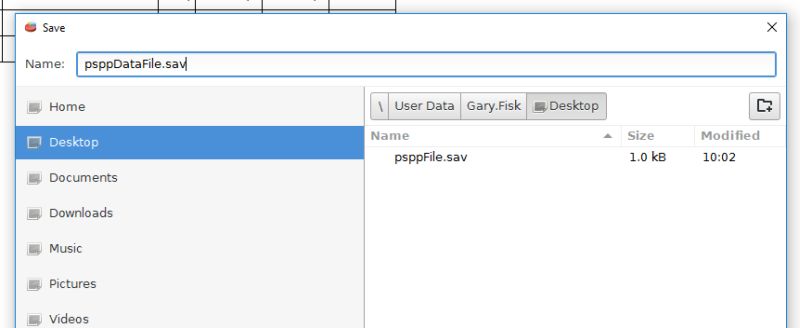
Choose the site where you want to save the data. If you are in a computer lab or on a public computer it would be a good idea to save the file to your personal flash drive or cloud storage.
Save the file with a descriptive, useful file name. A date in the file name is sometimes helpful.
The PSPP data files have a .sav extension on Windows computers. Using this extension will help PSPP find the data files in the future. Double-clicking on a file ending in .sav will open the file in the PSPP application if the file associations are configured properly.
Click on the Save button (see the bottom right corner of the dialog box) to complete the saving process.
Home | Start | Variables | Data | Descriptive | Relationship | Inferential | Effect size | Advanced | Video
This work is licensed under a Creative Commons Attribution 4.0 International License that allows sharing, adapting, and remixing.