PSPP typically uses two different windows. These are shown in the screenshot below.
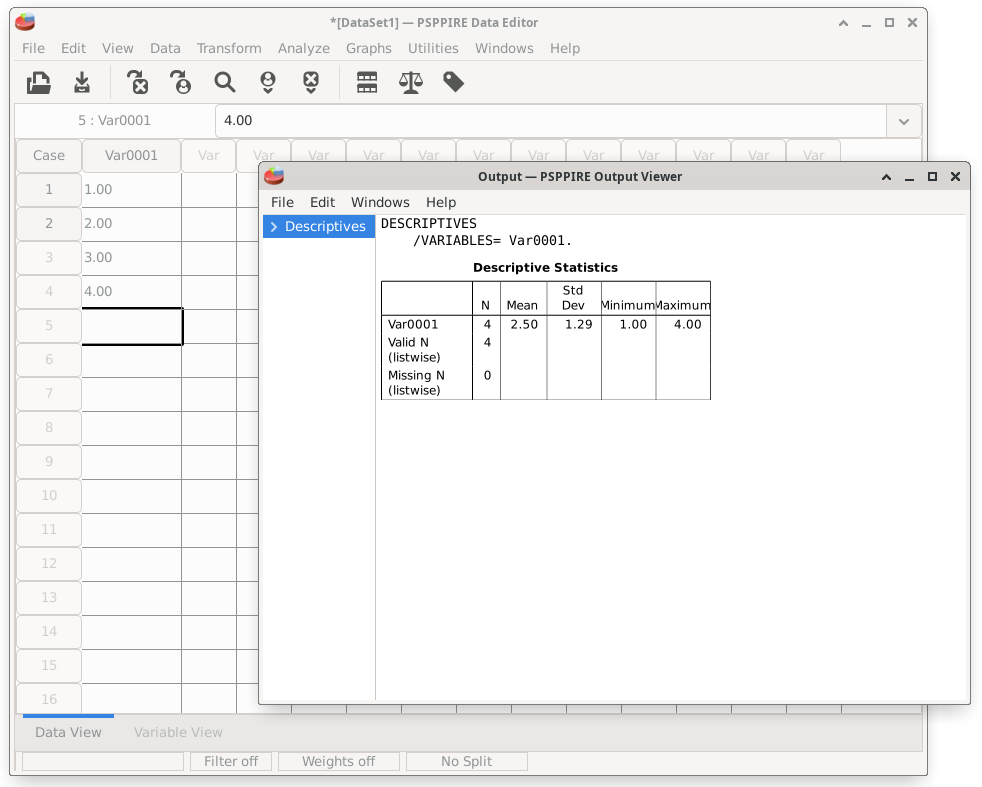
The "data view" is the default that you will see when you start PSPP. The background window in this screenshot image shows the data view. It looks similar a spreadsheet.
When an analysis is done, a new, second window will be opened to display the output. The output window (see the foreground in the screenshot) is where all of the data analyses will be displayed.
Home | Start | Variables | Data | Descriptive | Relationship | Inferential | Effect size | Advanced | Video
This work is licensed under a Creative Commons Attribution 4.0 International License that allows sharing, adapting, and remixing.