
- Posted on
- • PowerPoint
How to Rapidly Transform Standard PowerPoint Slides to an Online Teaching Format
- Author
-
-

- User
- Gary Fisk
- Posts by this author
- Posts by this author
-
Note: This was first published on March 16, 2020.
When moving traditional class content online, it might seem reasonable to simply upload existing PowerPoint presentations to a learning management system and call it a day. However, most PowerPoint presentations are designed to supplement a spoken presentation. The PowerPoint content of most presentations – bullet points of key terms – may not be enough for novice learners.
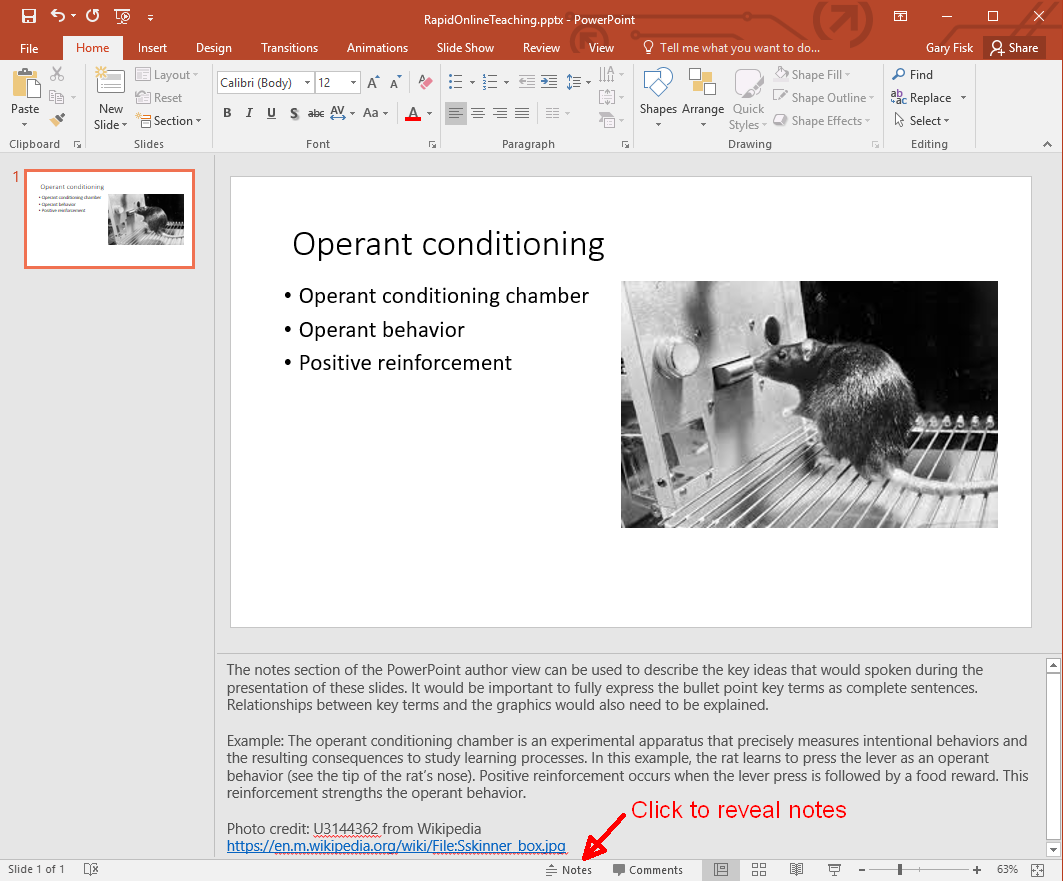
One way to overcome this problem is to use the “notes” feature to write short descriptions of the essential ideas from each PowerPoint slide. The aim is to add important information that would ordinarily be spoken. The slides plus notes can then be shared with students by printing the file to a .pdf format (portable document format) for sharing on a learning management system.
Author view:
Print to pdf:
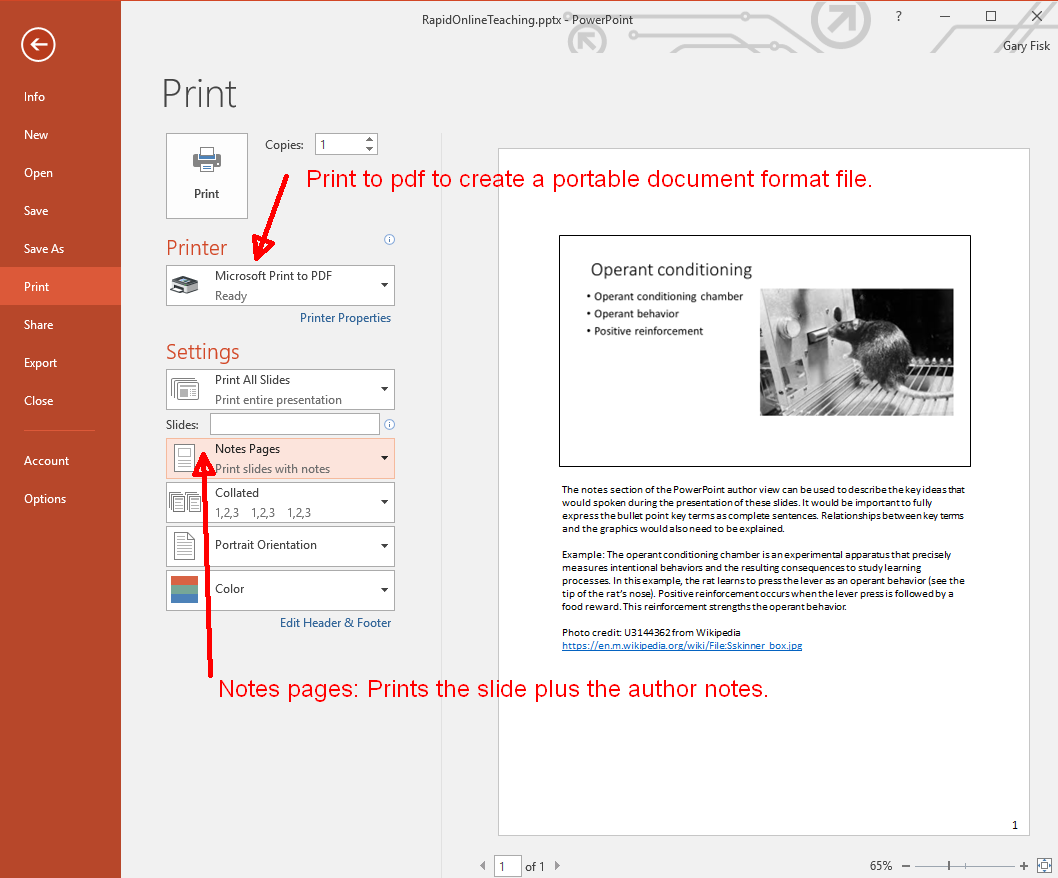
Creating a pdf file for sharing with students is recommended because pdf files are easier to view than PowerPoint files. The hyperlinks to relevant information are preserved in the pdf file.
There are other possibilities for adding the spoken component to a file that can be shared. The command “record slide show” from the “slide show” tab can capture voice with the slides, which can then be saved and shared. Software applications like Camtasia can add additional multimedia features, such as video. The downsides are that this approach is time-consuming and requires more technical expertise. It can also be problematic for students that don't have access to optimum technology.
Good luck with your efforts to move course content online!
I thank Ellen Cotter and Steve Haase for their helpful feedback on this idea.
Please feel free to save or share the following files that describe this approach.
- RapidPowerPointOnlineHandout.pdf: A pdf handout of this blog post
- RapidPowerPointOnline.docx: This blog post in Word
- RapidPowerPointOnline.pptx: The PowerPoint file for the screens shots
- RapidPowerPointOnlineExampleFile.pdf: An example printed from the PowerPoint file
Created: March 15, 2020 License: Creative Commons Attribution License 4.0 Gary Fisk, Ph.D., Professor of Psychology, Georgia Southwestern State University Author of Slides for Students, a book about teaching with PowerPoint