The following steps assume that the variables for the data file have been configured. The next, most basic step would be to enter your own data by hand.
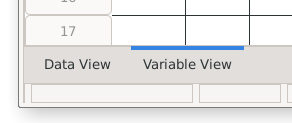
This requires being in the data view of the data editor window. If you're in the variable view, you can switch to the data view by using the workspace toggles in the lower left corner.
A simple grade book with fictitous data is used for illustration. To try it, you can manually enter this data. This data file is also available: psppFile.sav.
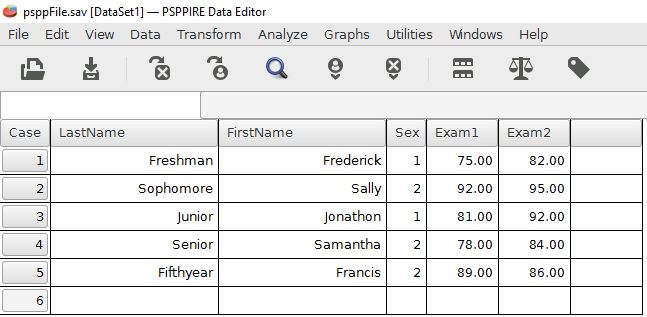
The easiest way to enter data is to click upon an empty field, then enter the desired number or letters. Pressing the tab key will move it to the right in the same row. Pressing enter will also make a field accept a data value.
The Sex variable is coded so 1 = Male, 2 = Female, and 3 = non-binary. Be sure to use numbers in this field to speed up the data entry. It's much faster to enter 1, 2, or 3 than spelling out the entire word.
Keep in mind the principles of organization during data entry. The general principles are that variables are in columns and individual people are in the rows. Each row has a case number at the left that represents one person. Work from left to right along the row as you enter data for each person.
Home | Start | Variables | Data | Descriptive | Relationship | Inferential | Effect size | Advanced | Video
This work is licensed under a Creative Commons Attribution 4.0 International License that allows sharing, adapting, and remixing.