Recall that PSPP generally has two windows: Data editor and output. The operation of saving a file opens up the output. The output viewer window displays the results from statistical analyses and other important events.
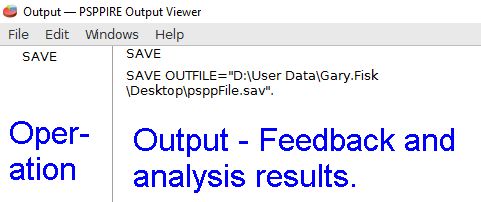
The operations are listed on the left. The larger main part on the right shows the results of a data analysis.
Sometimes the output viewer has important feedback. In the case above it shows us where the file was saved. The previous suggestion to try entering alphabet characters into a data field would be documented here as an error.
The output viewer file menu (see file > export) has options for Print and Export. The Export feature is like saving. This will be particularly useful if you want to use the analysis results in another software program, such as including it in a report.
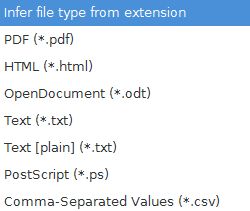
Just type the file name followed by the file extension that you want. The most useful options will be text (*.txt, no formatting), OpenDocument (*.odt, formatting), or portable document format (*.pdf; also called Adobe Acrobat). OpenDocument is a file format that most word processors, such as Microsoft Word, can open. There is no Word option in this open source software because Microsoft Word is a proprietary software program with restrictive licensing.
Home | Start | Variables | Data | Descriptive | Relationship | Inferential | Effect size | Advanced | Video
This work is licensed under a Creative Commons Attribution 4.0 International License that allows sharing, adapting, and remixing.